If you had to literally move some sheets around on your desk to find the mouse to click on this article, listen up: It doesn’t have to be this way.
You heard me. Now, close your eyes and imagine a workplace without paper. On top of saving the environment, tasks that used to be dreadful & tedious will now be a walk in the park:
- Finding that invoice from 3 months ago that a customer is requesting
- Providing purchase invoices to the auditors when they test for cutoff
- Printing & mailing cheques to suppliers
- Going to the bank for your deposits
You get the idea.
The good news is that nowadays, technology and good habits have made it possible to make paper a thing of the past. Let’s dive right in!
1. Switch to electronic payments
Switch to Electronic Fund Transfer (EFT), get rid of having to print cheques and save on stamps (and dealing with potential postal strikes or lockouts) and banking fees by paying suppliers weekly or monthly in batches. A side-effect of this is better cash flow management since cheques are no longer in circulation.
As an alternative to EFT, many of your suppliers may accept payment by credit card. Save time normally spent on the phone with accounts receivable and collect tax-free frequent flyer points while going paperless.
2. Switch to paperless invoicing
Most suppliers offer sending invoices by e-mail, saving them a stamp and saving you paper to sort through. Simply save the document in the supplier’s folder (see 5).
On top of this, most accounting systems (including Intuit Quickbooks and Sage 50) allow you to e-mail invoices instead of printing them out and spending money on a stamp. This saves paper and time, and ensures that invoices don’t get lost somewhere in between your shipping department and the customer’s receiving department.
3. Invest in a desktop scanner
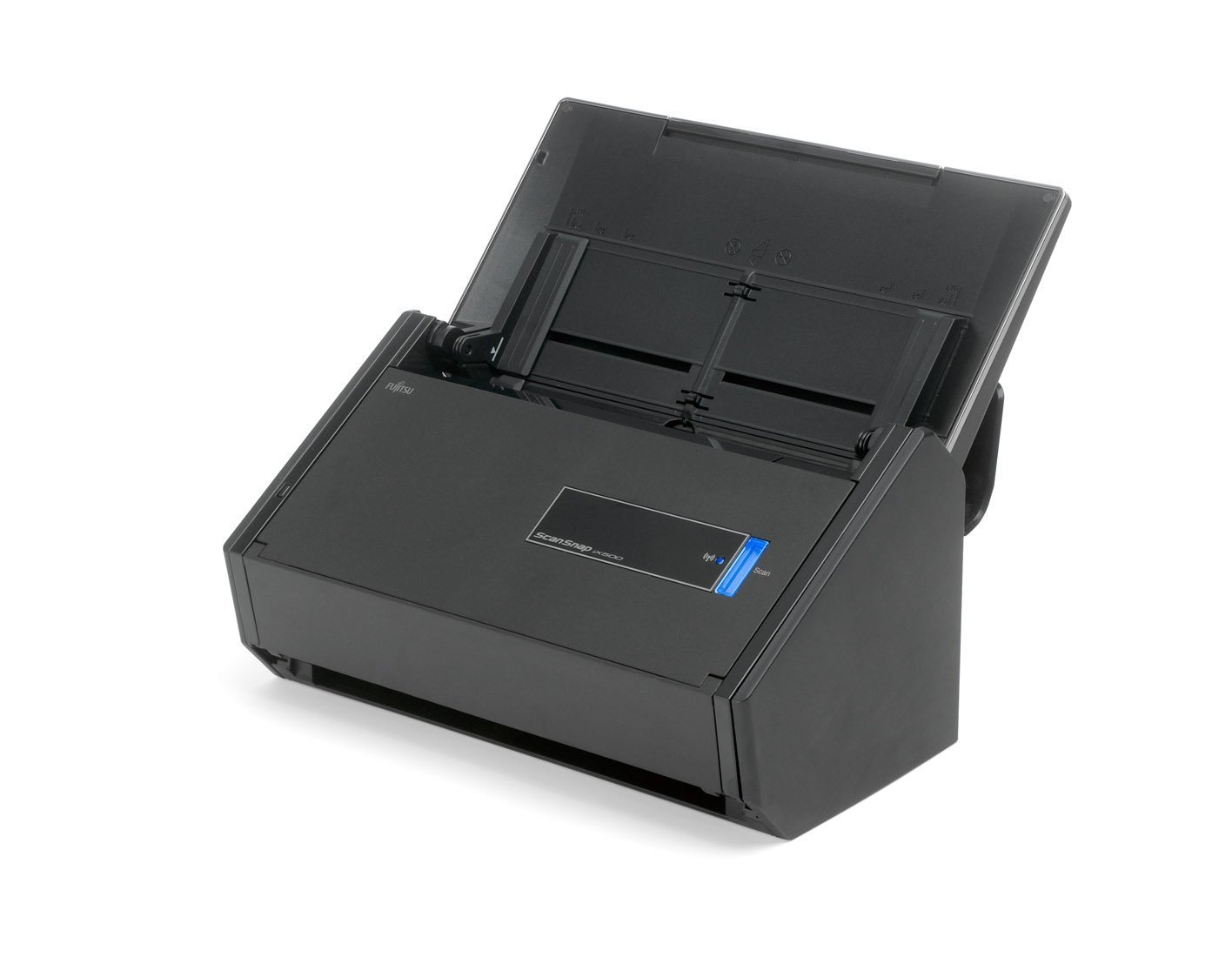
We’re not talking about that scanner from 2003 which scanned old photos at low quality with questionable contrast levels. We’re talking about a big-league scanner. You’ll finally be able to scan stacks of paper without much trouble.
I highly recommend the Fujitsu ScanSnap iX500 scanner which is compatible with both Windows and Mac OS X. I’ve been using this model for over 2 years and have nothing but amazing things to say about it. It’ll scan receipts, invoices (for those pesky suppliers without paperless invoicing) and anything else you throw at it, and never jam. Then, you can conveniently save the scanned document in PDF format. It’s a steep investment, but it pays itself off quickly with the time saved.
4. Invest in a cheque scanner

You may be asking yourself if I have a scanner obsession. To that, I say “so what?”. All Canadian banks offer remote cheque deposits. I’ve been using the Digital Check CX30 cheque scanner with my bank for over a year, meaning it’s saved me over 200 trips to the bank. The time and gas saved by getting a cheque scanner are incredibly high.
Make sure the model you are looking to purchase is supported by your bank. You’ll also save yourself more than 200 bank deposit slips per year, and the trees (and me!) are ecstatic about this.
Side-note: With the trend toward electronic payments, cheques are (slowly) becoming a thing of the past, though you are still likely to receive enough cheques to justify a cheque scanner.
5. Implement a system
Just getting a scanner will not make you paperless. Make sure to implement a good system to manage your files. I tend to create a folder for each customer/supplier and add their documents to the folder in a neatly organized fashion (eg. 2016-09-01 – Agreement.pdf). It takes some time to get into the habit but you will thank yourself once you get it right.
6. Scan away & sort
You won’t want to hear it, but those old invoices from last year are still sitting in that old dusty filing cabinet. It will take a lot of work, time, perseverance and cursing, but you will get through it. And once you do, you can name yourself the Paperless King/Queen.
Congratulations on going paperless!
Thanks for reading, and feel free to comment or write in!
I design and integrate systems using best practices so you can get back to working on your business. Learn more.

 Paul Nakhleh - The Integrator